Murmur app icon

Hold fn. Speak.
It's typed.

Murmur is free dictation and meeting transcription for Mac. It types into any app, tells you who said what in your meetings, and remembers voices. It all runs on your Mac.

Download for Mac View on GitHub

Version 0.9.0 · Free and open source (MIT) · macOS 26 or later · Apple Silicon

New Message
To: Daniel Brooks
Subject: Beta timeline
fn
Hold fn and talk
Transcribing…
Inserted · 96 ms

Real speed: Murmur typically transcribes a sentence in about 100 ms, on the Neural Engine.

~100 msto transcribe a sentence
100%on your Mac
25languages
$0free, no account

Dictation

Type with your voice,
in any app.

Mail, Slack, Notes, your browser or your code editor: if it has a text field, Murmur can type into it. No new window, no copy and paste.

Hold fn to talk

Hold fn while you speak and let go when you're done. The text appears where your cursor is.

Double-tap to lock

Longer thought? Double-tap fn to keep listening hands-free, then tap once to finish. esc cancels.

Instant

NVIDIA's Parakeet model runs on Apple's Neural Engine. A typical sentence comes back in about a tenth of a second.

Fits into your text

Murmur checks what's already around your cursor, so spaces and capital letters come out right when you continue a sentence.

Clipboard untouched

Text goes in through a brief paste, then your clipboard is put back exactly as it was.

A history of what you said

Every dictation is saved in a timeline, marked with the icon of the app it went into, ready to copy again.

Meetings

Know who said what.

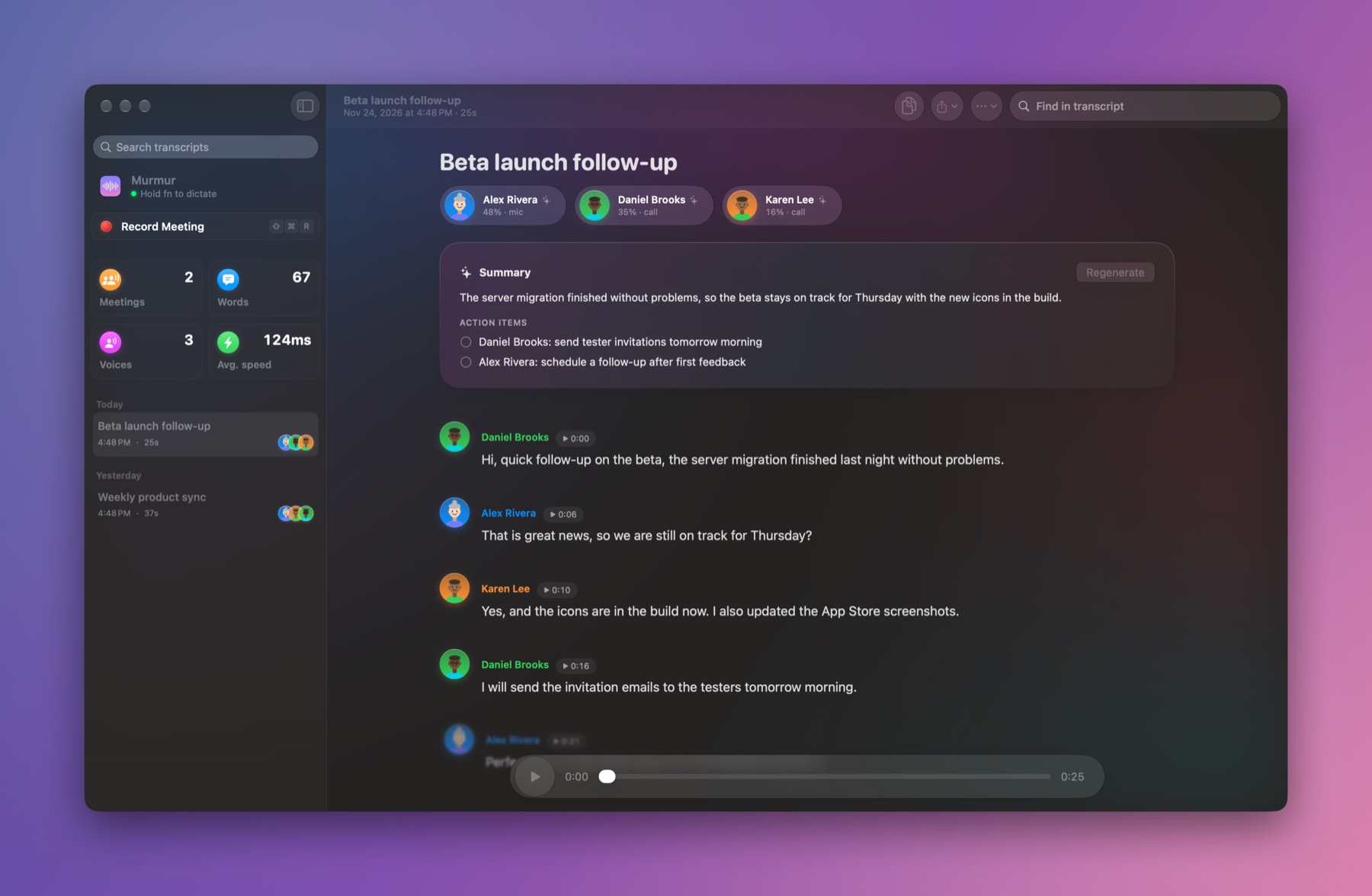
One click records your microphone and the call from Zoom, Meet, Teams or any other app. When you stop, Murmur writes a clean transcript, works out who's speaking and, if you like, summarises it.

  • Records the call itself, not your screen. Murmur captures system audio directly and needs no screen-recording permission.
  • A live transcript while you talk, then a full, accurate pass when you stop.
  • Tells speakers apart, and filters out echo from your speakers when you're not wearing headphones.
  • Summaries and action items written by Apple Intelligence, on your Mac.
  • Tap any line to hear it. Export to Markdown, plain text or subtitles.
A meeting transcript in Murmur with speakers recognised by voice, a summary with action items, and playback controls

Voice prints

Name someone once.
Murmur remembers.

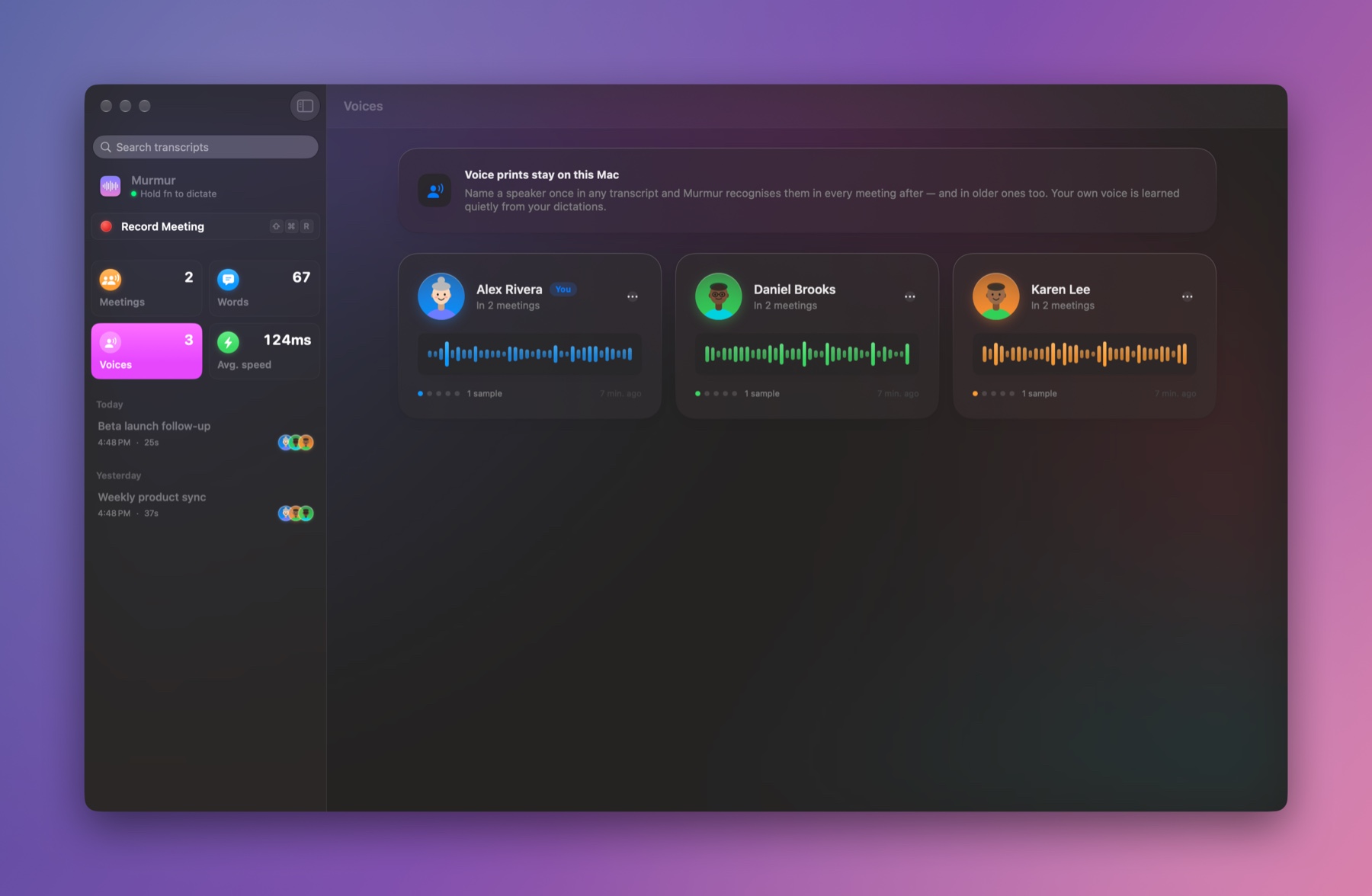
The first time Daniel speaks, he's "Speaker 2". Tap him, type his name, and that's it: Murmur recognises his voice in every meeting after this one, and goes back and labels your older ones too.

AR
Alex Rivera ✦you · learned from dictation
DB
Daniel Brooks ✦recognised · 97% match
KL
Karen Lee ✦recognised · 93% match

Voice prints are numeric fingerprints, not recordings. They never leave your Mac, and you can rename or forget one any time.

The Voices library in Murmur, with a face and voice signature for each person

Privacy

Your words stay yours.

Most dictation and meeting tools send your audio to someone's server. Murmur doesn't have a server.

On-device models

Speech recognition, speaker identification and summaries all run locally on Apple Silicon.

No account, no tracking

No sign-up, no analytics, no telemetry. The only download is the open-source model, the first time you launch.

Open source

Every line is on GitHub under the MIT license. Read it, build it yourself or change it.

Install

Up and running in a minute.

  1. Download Murmur, unzip it and drag it into Applications.
  2. Open it. This early version isn't notarized yet, so macOS asks first: go to System Settings → Privacy & Security and click Open Anyway.
  3. Allow Microphone and Accessibility. Accessibility is what lets Murmur notice the fn key and type into other apps.
  4. Optional: System Settings → Keyboard → “Press 🌐 key to” → Do Nothing, so the emoji picker doesn't pop up.
  5. Hold fn and say hello. The first launch downloads the speech model (about 0.5 GB); after that, everything works offline.

FAQ

Questions

Is Murmur really free?

Yes. Murmur is free and open source under the MIT license, with no paid tier, no trial and no account.

Does it work offline?

Yes. After a one-time download of the speech model, dictation, meeting transcription, speaker identification and summaries all run without an internet connection.

Which languages does it understand?

The default Parakeet model handles 25 European languages, including English, German, French, Spanish and Italian. An English-only model with even higher recall is one click away in Settings.

How is it different from MacWhisper, superwhisper or Wispr Flow?

Murmur combines push-to-talk dictation and meeting transcription in one free, open-source app. Everything runs locally on the Neural Engine using NVIDIA's Parakeet model, which is very fast, and it remembers people across meetings by their voice.

Can it record Zoom, Google Meet or Teams calls?

Yes. Murmur records system audio through a Core Audio tap, so it captures any call app without joining as a bot and without screen-recording permission. It records your microphone on a separate track, so it can tell you apart from the people on the call.

What do I need?

An Apple Silicon Mac running macOS 26 or later. Summaries need Apple Intelligence to be turned on.
Hold fn and say hello.

Free, private, and faster than typing.

Download Murmur for Mac